|
FTSpooler integrates into a FormTrap production environment to provide
identification, batch job splitting into individual documents,
formatting and automated delivery of finished documents. Delivery
methods include printing, email, faxing, outputting as a file to a
nominated location on the disk or initiating other tasks to accomplish
additional delivery methods. The document processing, formatting and
delivery history can be viewed in archives using searching
capabilities. FTSpooler checks for the arrival of data, identifies and
splits it if necessary, formats it to produce a deliverable document
(PCL and PostScript for printing, PDF for email, tiff for faxing),
determines the method of delivery and delivers the document to your
customer.
| Server Connection |
|
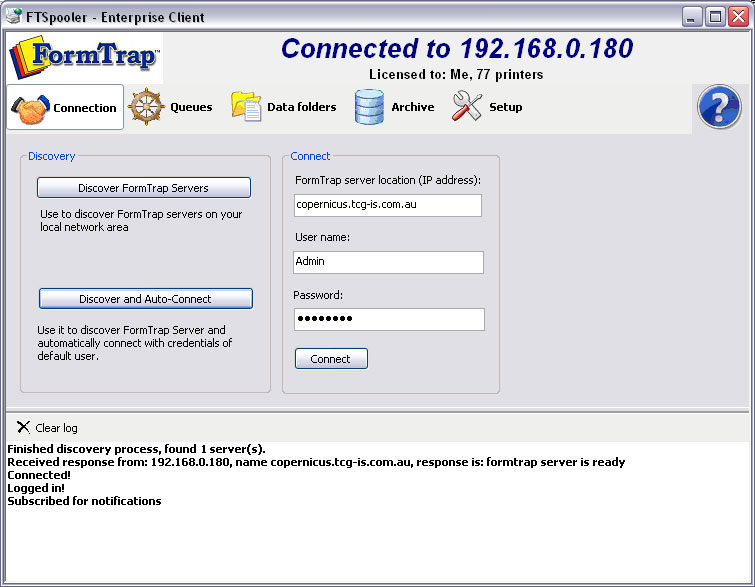
To search FormTrap servers on the local network, click on the Discover
FormTrap Servers button. It finds FTSpooler server(s)
available and displays the name(s) and IP address(es) on the log panel
at the bottom of the screen. Normally, just one FTSpooler server is
present.
To auto-connect the first FTSpooler server,
click on the Discover and Auto-Connect
button.
On the Connect
panel, key in the FormTrap server location (IP address)
from the log panel, User name, and Password.
User Admin is the only
user with full control of FTSpooler. The username cannot be changed or
deleted. The password formtrap is the default for
user Admin and can be modified in
Setup - Users. Other users may have limited control of
FTSpooler, and are required to provide the administrator password when
making changes that may affect other users.
More information on Setup Enterprise Users
|
|
| Top |
|