|
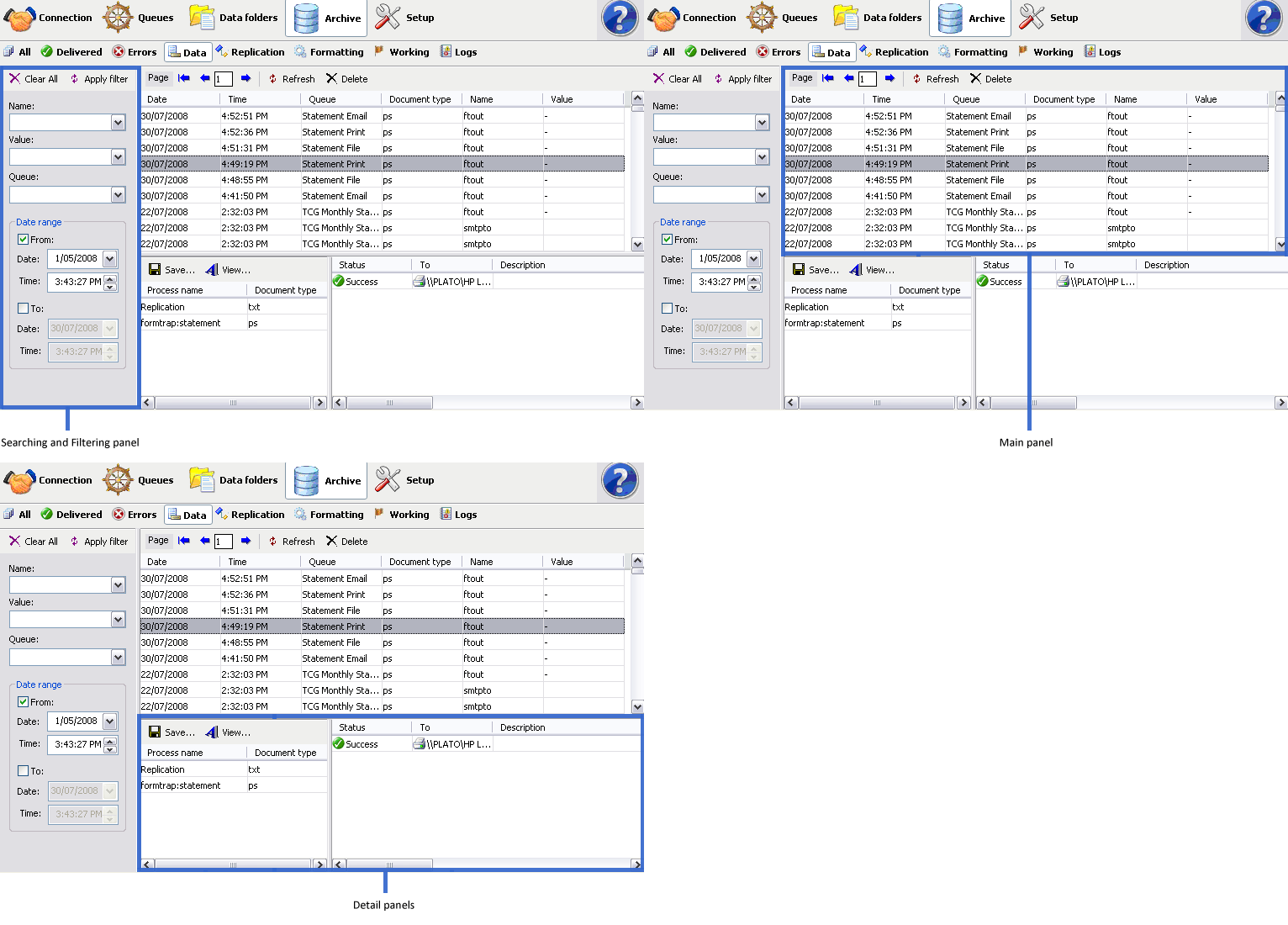
Select the Data button under Archive
from the top navigation bar. In the searching and
filtering panel, specify searching criteria to retrieve
data records.
More information on Search and Filter Archive Records
In the main panel,
FTSpooler shows the following for each job:
- Date/ Time - of
submission
- Queue - the queue the
data was processed in
- Document type -
the document type of the selected data record
- Name - the
associated file entry name
- Value - the
value of the associated file entry
Name and Value
repeat for different jobs, showing all of the Associated File names in
that file (last to first down the page, including duplicates).
Between submission and delivery of the
formatted document may be several steps such as input filtering,
identification and routing and/or splitting, repagination and print
formatting.
Each step is shown in the detail
panel located at the bottom effectively showing the
history of each job in most recent (top) to oldest (bottom) order.
- Process Name
- shows the name of the process used to modify or format the document.
Some processes show additional information after a colon sign ":". For
instance, the print-formatting process "formtrap" is followed with the
name of the form; delivery engine "smtp", is followed with the document
filter name.
- Document Type - the
file type that is produced by the process. "txt" is raw data, "pcl" or "pclxl" or "ps" are formatted and print
ready documents.
- Status - job
status
- To - form(s) used in
the processing the document
- Error Description
- errors in the formatting process
More information on Exporting Files
|