|
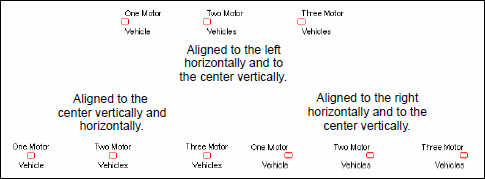
By selecting the Format tab, you can arrange the
text relative to the responses. This operates in conjunction with the Text
Offset from Mark (see Positioning text and response shapes)
and gives you precise control over placement and appearance of response
text.
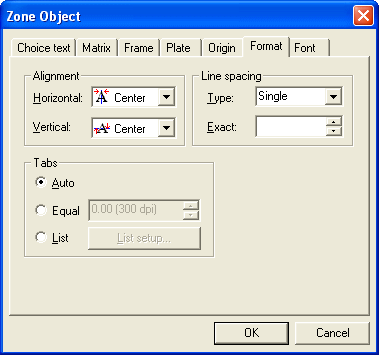
From the Format tab, you
can set the alignment of text, the distance between lines (for text
that spans more than one line) and the size of tab spaces, for text
with tabs.
The line spacing is relative to the font
size, but can be changed to an exact measurement by selecting Exact
from the Line Spacing
list, and typing a value for the distance between
lines.
|