Full PDF Manual (5.35 MB)

About OMR Zones
Matrix Zones
Random Zones
Assigning Text to Choices
  Assigning text to choices
  Positioning text and response shapes
  Origin
  Decorating Zones
  Format & Font
 
Origin


Origin


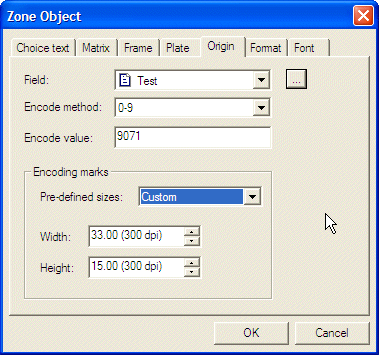
By selecting the Origin tab, you can mark responses at the time of printing from either a constant or from incoming data. This is known as “pre-slugging” when done from data.


  • The Field is set as Constant but pulls down to show a list of data fields.
Select constant or pull down to show a list of already defined fields or press the button to add a new field.
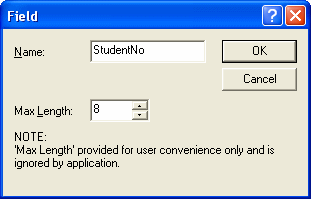
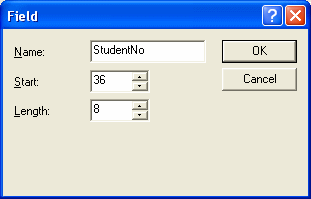
opens one of these dialogues where you can enter the field Name only for delimited files or Name, Start and Length. Data files and fields are fully discussed in Defining your data file.

Delimited 
Fixed       
  • Encode method is a pull-down list of available encoding methods. Choose one (and for Random zones make sure the field choices are defined in the same order).
  • Encode value is used to pre-slug the response positions. Enter a value that is covered by the encoding method (and check the number of digits required).
Encoding marks allow the size of the black response mark to be defined from either a pre-defined set or individually. Generally a response mark of 33 x 15 (1/300th units) is used. Where the data is taken from a field, the response will vary according to the record contents and is very commonly used for pre-slugging the sheet recipient (and would also have his written name elsewhere on the sheet).

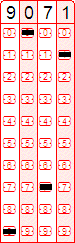
This is an example pre-slugged response from the example above (the human readable is inserted as text).


There is no requirement to have response shapes for pre-slugging and you can use the Null shape to hide what is being encoded (only the black encoding marks appear).
Top