Full PDF Manual (5.35 MB)

About OMR Zones
Matrix Zones
Random Zones
Assigning Text to Choices
  Assigning text to choices
  Positioning text and response shapes
  Origin
  Decorating Zones
  Format & Font
 
Decorating zones


With FoD-OMR, you can easily add borders, dividers and shading to zones to improve the readability and selection of zones choices.

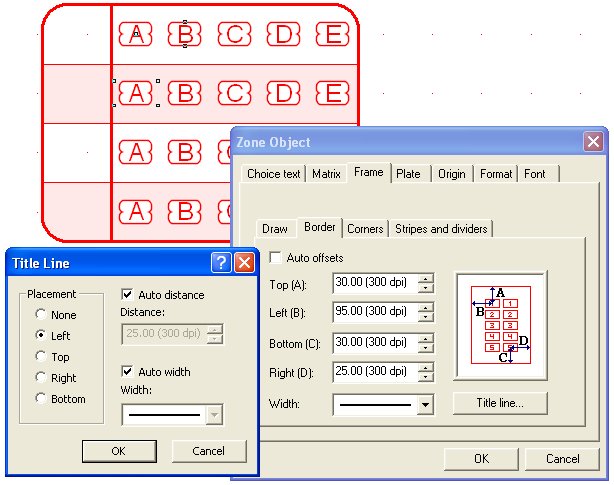
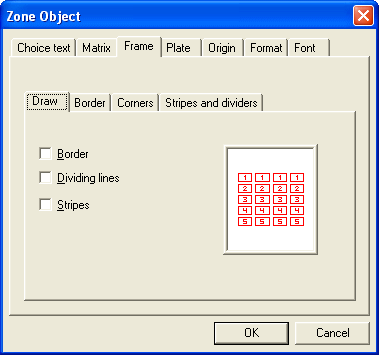
By clicking the Frame tab of the Zone Object dialog box, you can set the style for borders, dividing lines, and alternating stripes.


Border dimensions

If you add a border to a zone, you can set the distance of the border from the zone choices, and the thickness of the line, from the Border tab.

Uncheck the Auto offsets box to set custom border dimensions.


Top  
Border corners

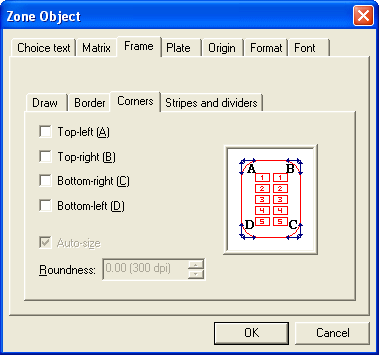
You can round each of the corners of the border and set the radius of the rounded corners by unchecking the Auto-size box on the Corners tab.

Top  
Stripes

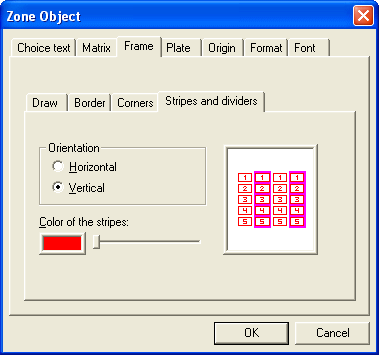
Adding alternating stripes to large matrix zones greatly eases filling out your form. You can orient the stripes and shade the color of the stripes to your OMR scanner's blind color range.

More information on Blind Colors


Top