The Delivery Monitor enables you to view which delivery engines are
currently running in the Spooler. It also enables you to disable one or
more of the delivery engines. Reasons you might want to do this include
errors in the release of files to FormTrap, or a failing device within
your system, such as Email. This applies particularly where individual
documents are delivered individually. Once a process (such as Printing)
is turned off, the scheduled jobs can be managed from the Archive and
either deleted or moved.
The Delivery Monitor can be accessed from Setup,
Delivery, Monitor.
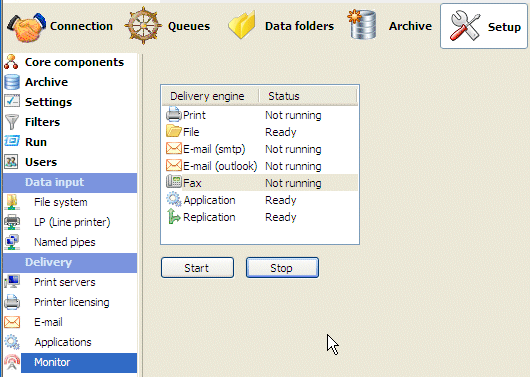
To disable a Delivery engine:
- Select the Delivery engine(s) you want to
disable.
- Click the Stop button.
To enable a Delivery engine:
- Select the Delivery engine(s) you want to
enable:
- Click Start
|
|