I'm Stuck!        Full PDF Manual
Core Components
Archive
Settings
Filters
Run
Users
File System
LP (Line Printer)
Named Pipes
Print Servers
Printer Licensing
E-mail
Application
Delivery Monitor
Login Credentials
 
FTSpooler Setup


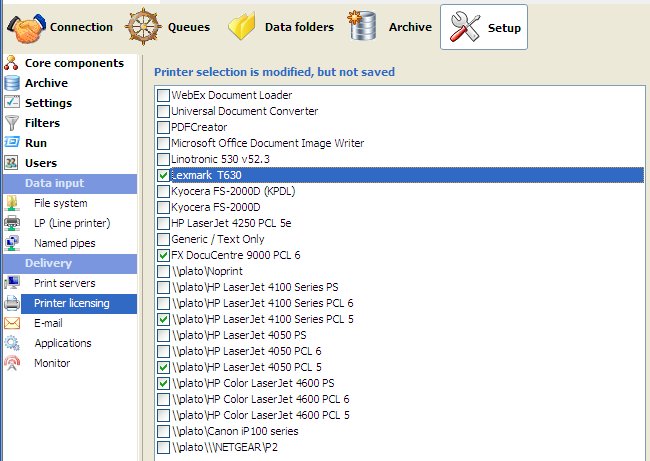
Printer Licensing


FTSpooler is licensed to a given number of printers.

The list of printers is copied from printer servers known to FTSpooler and must include  one local or networked laser printer with PCL5 or PCLXL (PCL 6) or PostScript driver. If you have Version 7.1 or above, you may tick and print to other printers/drivers using the "Print to ANY Windows Printer" option from files output as PCLXL using a filter. GUI drivers such as PDF drivers WILL NOT WORK and will time out. GhostScript PDF conversion from PostScript is provided.

Note: FormTrap produces print-ready files for laser printers and requires just the physical address, hence you may choose just the one driver for a given printer (say the PostScript driver) and print in PCL5 or PCLXL or PostScript to it. Some older/deficient printers may not operate with Unicode, test files are available within the Knowledge Base (keyword "Printer Test"). This DOES NOT apply to the "Print to ANY Windows Printer" option which relies on the driver. Observations on specific printers that fail are available form the KB (keyword "Print").

More information on Print to ANY Windows Printer

More information on Printer Servers

To configure printer licensing:

  • Check the printers in the list that you wish FTSpooler to print to, up to the maximum number of licensed printers. 
  • Click the Save button.


Top