This option allows the user's application or a copy statement to write
a file directly to the queue folder.
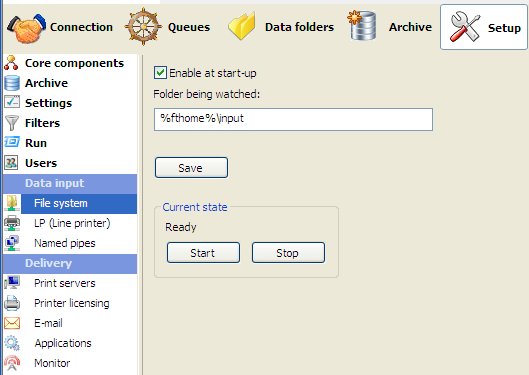
To configure the file system option:
- Tick the Enable at
start-up checkbox to enable the file system option at
FTSpooler start-up.
- Alter the location of the Folder
being watched if required.
- Click the Save
button.
Start or Stop
and Start the service and check
Current state is Ready.
More information on Submit Queue via
Network
|



 You need to Stop and Start as below for this to take effect.